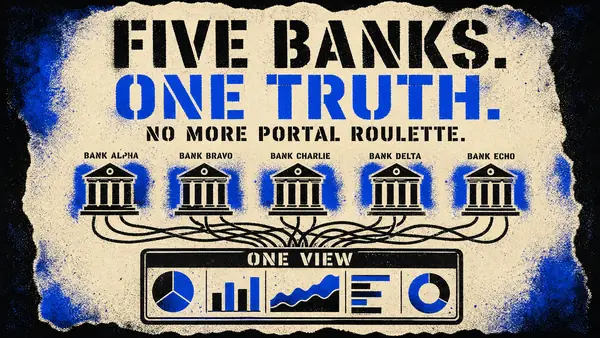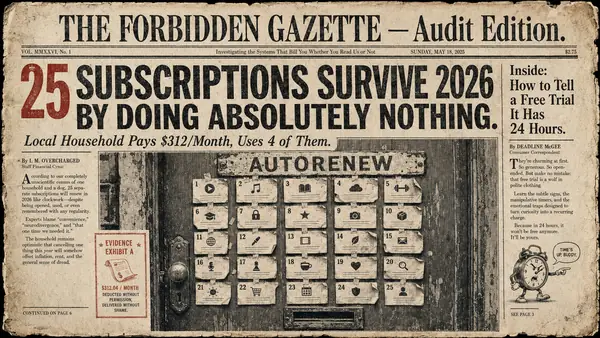
Sunday night has a very specific sound. It is the tiny sigh you make after opening a banking app, waiting for the face scan to work, opening a second banking app, forgetting which credit card had the grocery run, checking the mortgage portal, and then deciding that maybe last month was unknowable and everyone should just go to bed.
All of that to answer one question: are we okay?
Forbidden Finance is live today, October 13, 2026, on iPhone, Android, and the web. It is free to start. No ads, ever. No credit card.
This is the post we hoped we would get to write when we wrote Why We Built Forbidden Finance: A Personal Finance App That Doesn’t Shame You. The short version: we wanted a money app that treated people like adults with complicated lives, not students who forgot their homework.
TL;DR
- Forbidden Finance is live on iPhone, Android, and web, free to start.
- You can track accounts, budgets, net worth, recurring bills, and receipts in one place.
- Paid plans follow where you are in life, from bank sync and receipts to net worth, sharing, and bring-your-own AI.
- The budget that works is the one you will actually use.
Understanding Compounds
The most valuable thing a money app can give you is not a lecture. It is a clear view.
Not optimization. Not austerity theater. Not a tiny red shame badge because you bought coffee near a train station, a place where coffee legally costs whatever the building feels like charging.
Understanding compounds because decisions compound. When you know what is coming in, what is going out, what is recurring, and what is quietly pretending to be a one-time expense for the fourth month in a row, you make slightly better choices a few hundred times a year. You do not need to become a spreadsheet monk. You need fewer blind spots.
The Federal Reserve reported in its 2026 SHED report that 73% of adults were doing okay financially or living comfortably in 2025. That means plenty of people are managing, but it does not mean managing feels simple. The FINRA Foundation’s National Financial Capability Study found that among employed respondents, 33% spent at least two hours per week dealing with personal finance issues while at work. That is a lot of pretending the calendar invite says strategy when your brain is actually on dental insurance and the card balance.
Our bet is plain: if you can make financial understanding cheap, people will do it more often. Minutes a week, not an evening a month. Small corrections before they become large mysteries. Less squinting at transactions and more living your actual life.
The latte is not your problem. Your rent might be. The subscription you forgot about might be. The annual insurance bill that arrives every January wearing a fake mustache might be. Seeing the difference is the work.
Everything in One Place
Money gets weird when it is scattered. Checking in one place. Savings in another. A credit card with points. A loan you only remember when the payment hits. Investments in a tab you do not open unless the market is either heroic or rude. Property value somewhere else. Cash in the drawer because someone paid you back for pizza in a denomination last seen in a movie.
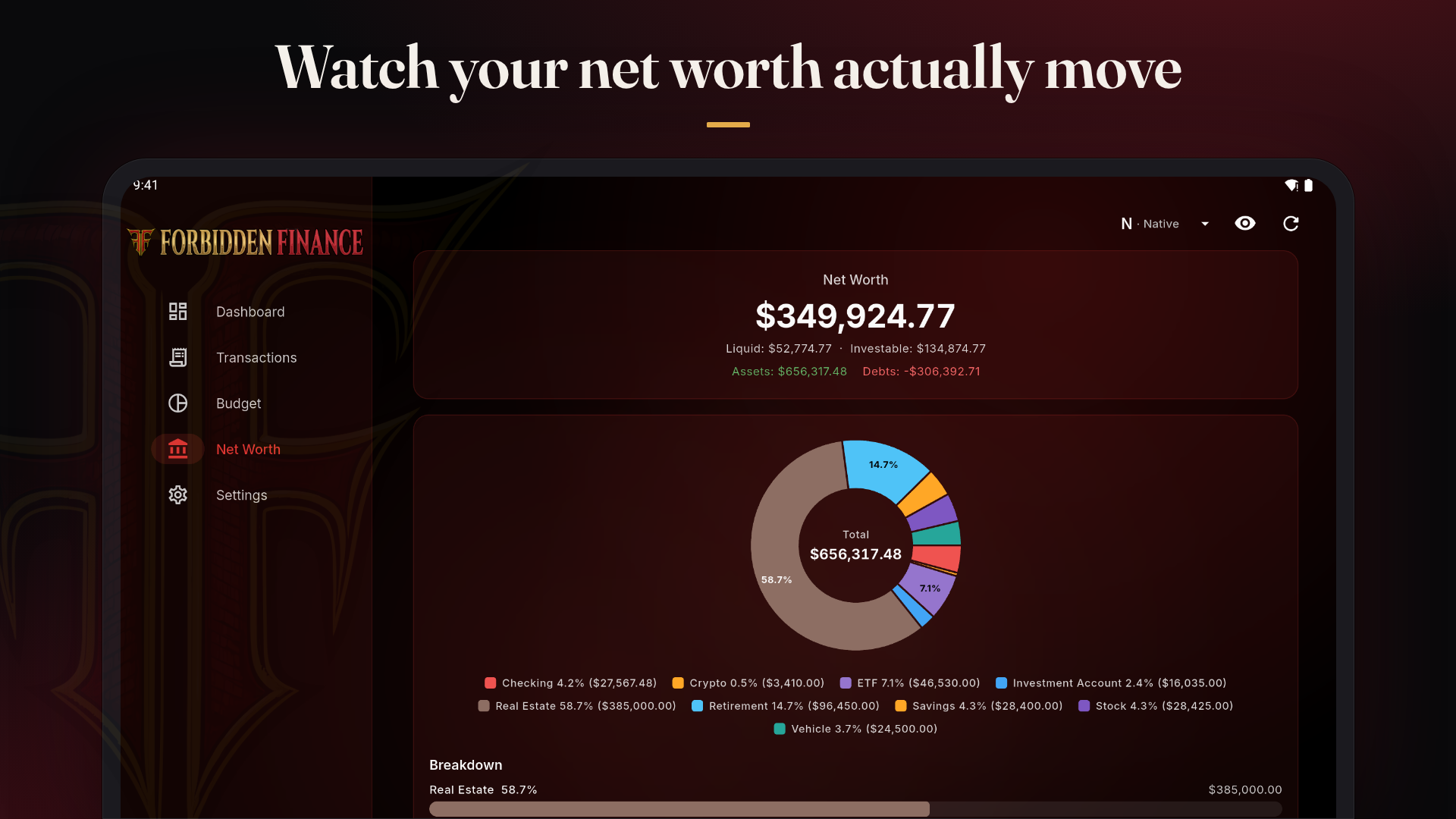
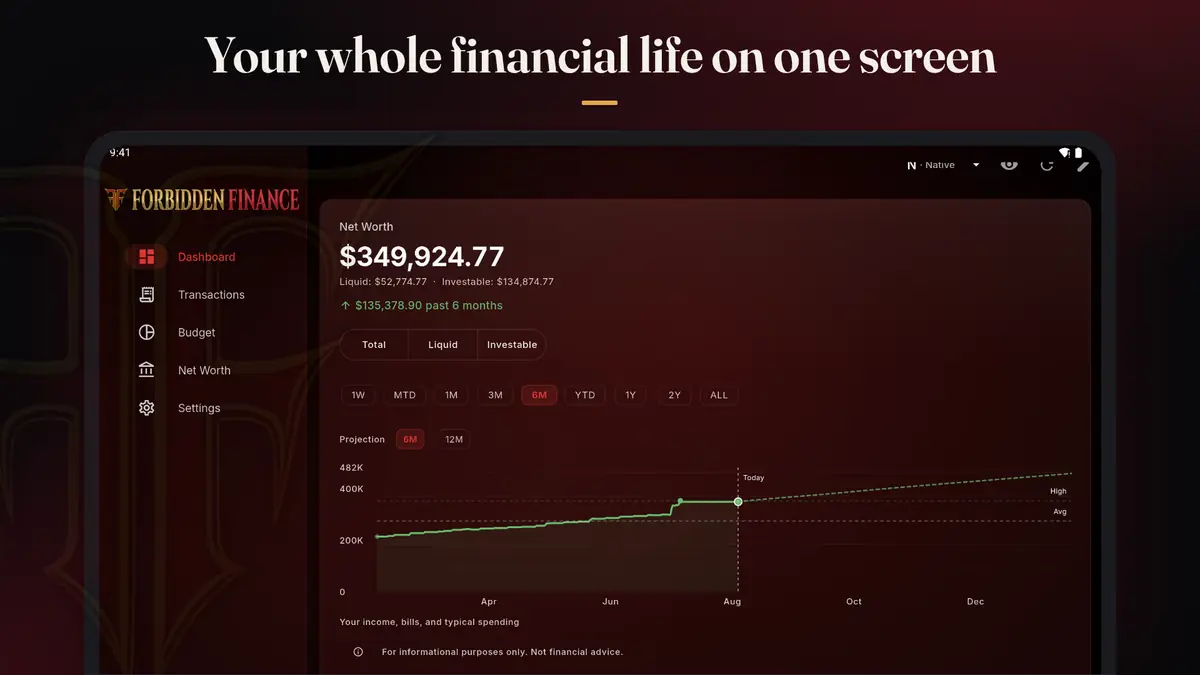
Forbidden Finance brings those pieces into one view: checking, savings, credit cards, loans, investments, property, and manual accounts for anything else you want to track. Manual accounts are on every plan, including free. Paid plans add automatic bank sync for US and Canadian banks (bank credentials never touch our servers, because a regulated aggregation partner handles the connection), along with net worth tracking and automatic recurring-charge detection.
That matters because the real question is rarely, what is in this one account? It is, what is the shape of the whole thing? We built net worth three ways: Total, Liquid, and Investable. Total is the big picture. Liquid is the money you can actually get to without selling the roof over your head. Investable helps separate long-term wealth from everyday cash flow. The history curve gives the number a direction, not just a value.
If you have ever tried to track spending across multiple institutions, you know the ritual. Open tabs, download CSVs, rename columns, briefly consider a new identity. We wrote about that mess in How to Track Spending Across Five Bank Accounts Without Losing Your Mind because it is one of the most common ways people lose the plot.
Forbidden Finance also watches for upcoming bills and recurring charges automatically. Not because subscriptions are evil. Some subscriptions are useful. Some are joy. Some are a streaming service you kept because one cousin said there was a documentary you would love in 2023. The app’s job is to show you the pattern before the pattern becomes part of the furniture.
Budget Your Way
There is no One Right Way to budget. There is a right-for-now way. That distinction is doing a lot of work.
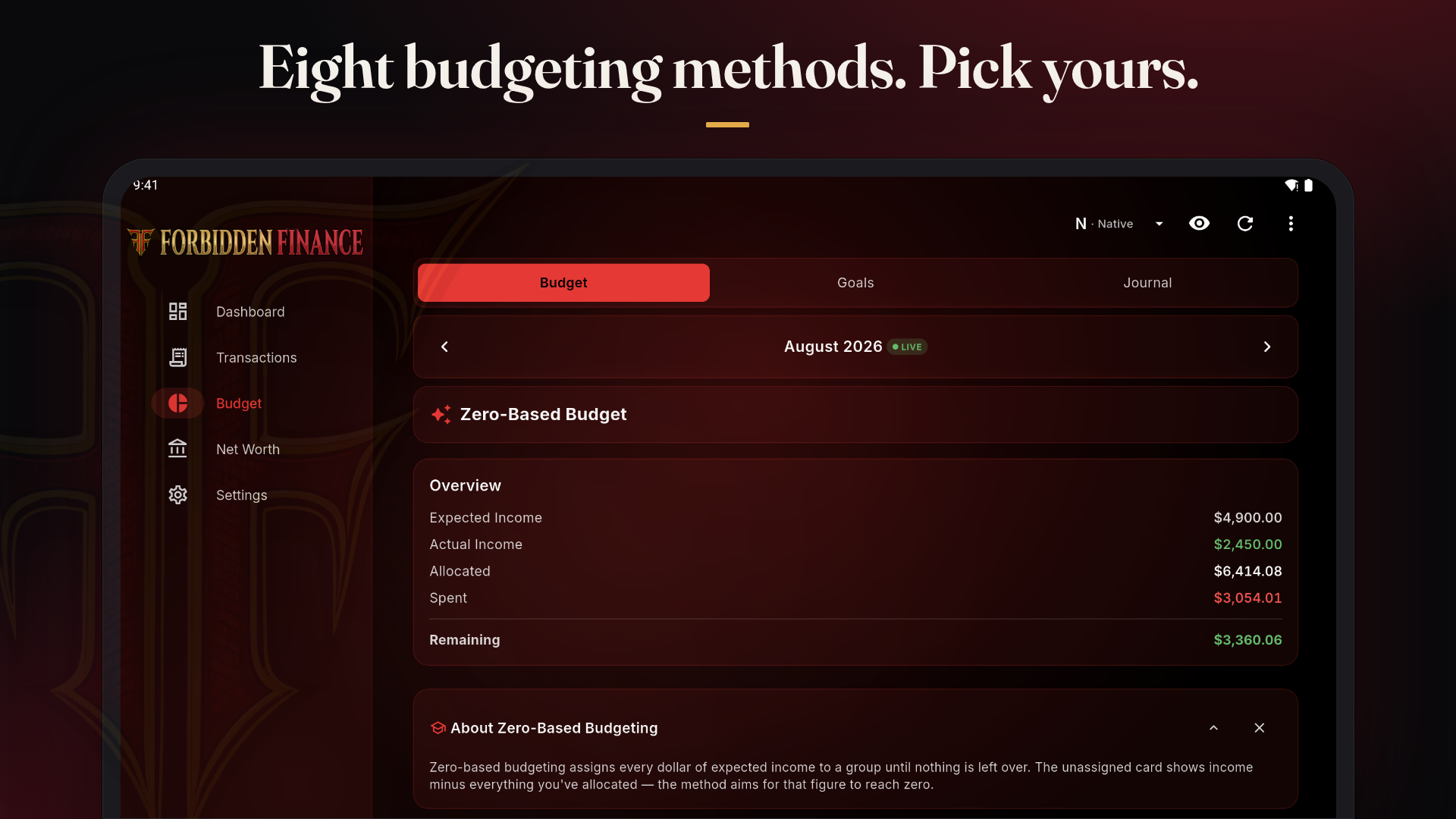
Forbidden Finance supports eight budgeting methods: 50/30/20, Pay Yourself First, Zero-Based, Envelope, Kakeibo, FIRE, Values-Based, and Custom. Two of them, 50/30/20 and Pay Yourself First, are included on the free plan.
Why so many? Because life refuses to stay in the tidy example column.
If you are just starting, 50/30/20 can be enough structure to build the habit without turning your Saturday into a committee meeting. If you are trying to save first and spend what remains, Pay Yourself First is beautifully boring. If money is tight or variable, zero-based budgeting can make every dollar accountable. If categories help you feel calm, envelopes make sense. If you want reflection before reaction, Kakeibo has survived more than a century for a reason. If you are chasing financial independence, FIRE budgeting can make the math visible. If your money should follow your values, make that the center. If none of the above fits, build your own.
The forbidden part is admitting the rule depends.
A system can work for two years and then a baby happens. Or a parent gets sick. Or your income turns seasonal. Or you move, split rent, combine households, separate households, start a business, change jobs, go back to school, or simply get tired of pretending a category called miscellaneous is not where truth goes to avoid eye contact.
In Forbidden Finance, you can switch methods when your life changes without losing your history or categories. The budget is supposed to serve your life. If it starts acting like a tiny unpaid manager, fire it.
It Lives on Your Phone
Money questions rarely arrive politely at a desk.
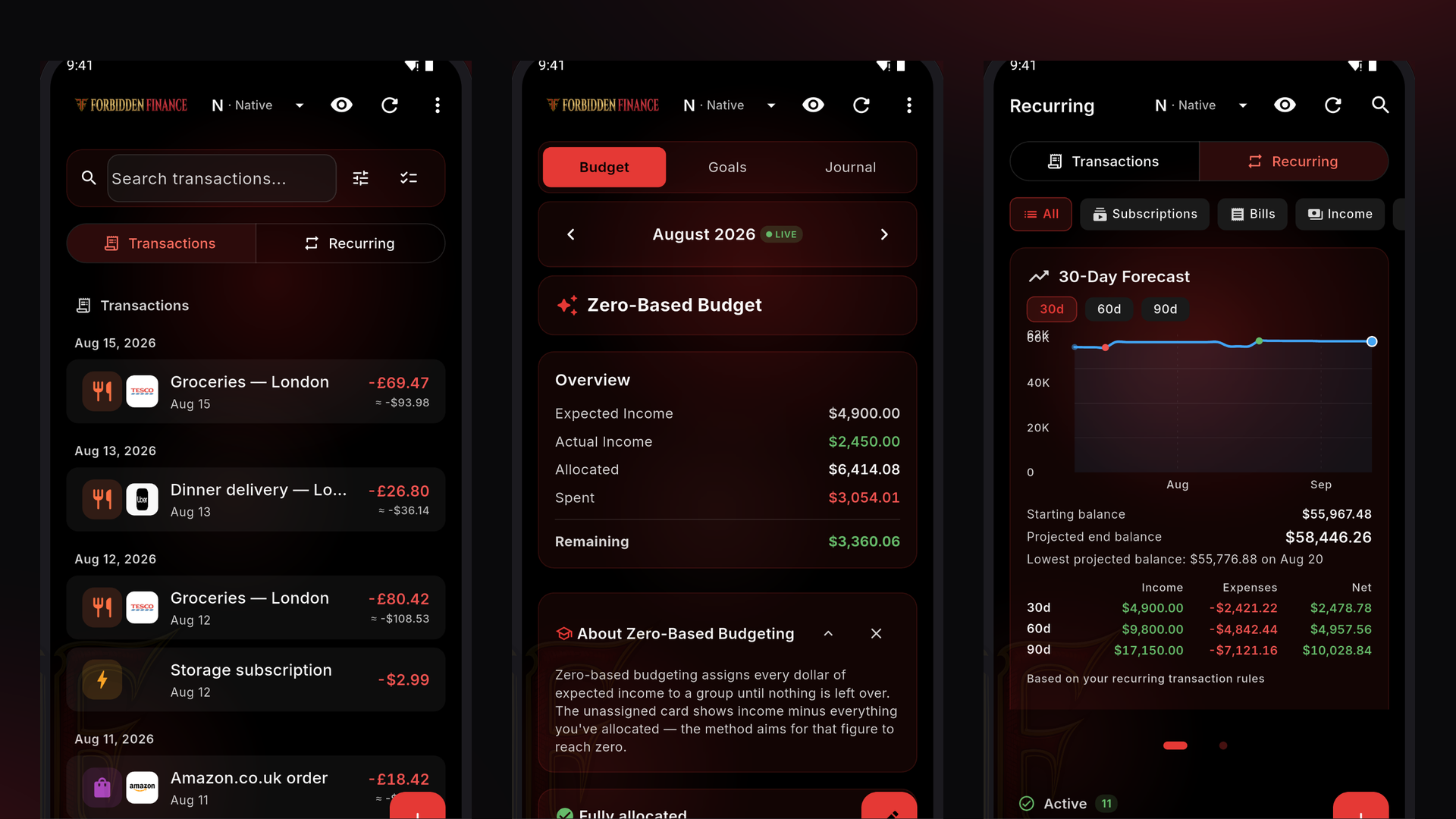
They show up in the coffee queue, while you are deciding whether lunch is a bring-leftovers situation or a human-sandwich situation. They show up on the couch, when you finally have the emotional range to look at the week. They show up in the parking lot before a grocery run, which is also where ambition goes to buy three kinds of berries.
Forbidden Finance uses the same account on iPhone, Android, and the web. Log a coffee from the queue. Check the budget before dinner. Review the week from the couch. Add the cash in your drawer without making it a whole production.
That is the bar: close enough that checking in does not require a ceremony.
Receipts Without the Typing
Receipts are where good intentions go to wrinkle.
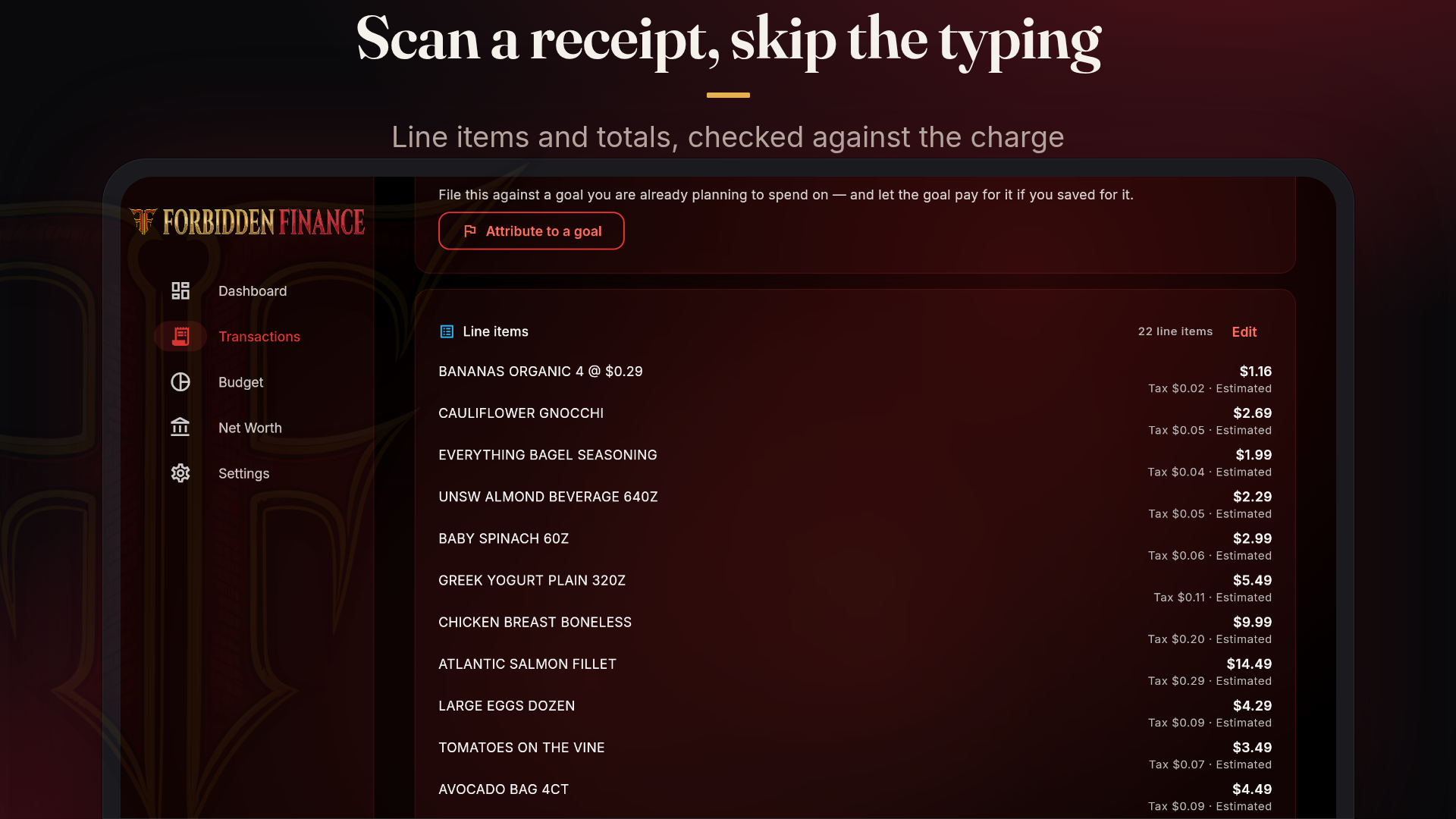
You can photograph a receipt in the app, or forward an email receipt to save@vault.403fin.io. The receipt attaches to the transaction, so the thing you bought and the proof of it live together. Future-you, who needs the warranty, the reimbursement, the tax detail, or the answer to why one grocery trip looked suspiciously like a small appliance purchase, will be less annoyed.
If you switch on Let AI read my receipts in Settings, the AI reads the merchant, date, total, currency, and individual line items. It checks the arithmetic against the charge and suggests a category. You confirm everything. Nothing reaches your ledger until you have looked at it.
AI reading is OFF until you turn it on.
That sentence is important enough to get its own chair. Receipt reading is assistive. It is not a little robot accountant roaming around your transactions with a label maker. It reads what you ask it to read, suggests, and waits.
Receipt reading is available from Starter up: 75 receipts per renewal month on Starter, 200 on Pro, and 400 on Premium. Receipt images are encrypted with your account’s own keys before they are stored.
This is one of those features that sounds small until the third time it saves you from typing twelve line items off a faded slip while wondering whether lemons should be groceries, health, or emotional support produce.
Bring Your Own AI, Keep Your Bank Out of It
Most AI finance products seem to start from the same place: hand over your financial life, then hope the model behaves. We took the opposite route.
On Premium, you can connect the AI assistant you already use, including Claude, ChatGPT, Perplexity, or anything that speaks MCP, to your own Forbidden Finance account. Forbidden Finance sits in the middle as a privacy gateway.
Connections are read-only by default. Allow changes is one switch, off until you flip it. By default, a connection sees what you grant it. From there, you can hide specific fields, including merchant names, amounts, balances, memos, and purchase locations, 18 fields in all. You can also keep whole accounts or categories invisible to the assistant.
A hidden field is left out entirely, not blanked. That is the difference between not sharing the answer and sharing a conspicuous rectangle where the answer used to be. Subtle, but not actually subtle.
All of this is enforced on our servers, so the assistant cannot ask for more than you allowed. The assistant never touches your bank login. There is no way for it to move money, because that action does not exist in the system.
That MCP connection is your assistant talking to your Forbidden Finance account through our privacy gateway. It is not our AI wandering in with a clipboard. Any AI feature we build ourselves, receipt reading today and anything that comes later, is opt-in only. Off until you turn it on. We never train on your data.
Privacy is not a mood board word for us. It is product behavior. We wrote more about the general shape of this in Who Can Actually Read Your Money? A Budgeting App Security Teardown, but the launch version is simple: you choose the connection, you choose the scope, and you can keep the bank login out of the conversation entirely.
What Free Means, and What Paid Adds
We designed the plans around where someone is in life, not around a feature matrix that looks like it was assembled during a very tense spreadsheet lunch.
Free is for the person who wants to see the picture before committing to anything. It is $0, with 10 manual accounts, two budget methods (50/30/20 and Pay Yourself First), CSV and JSON import, six months of history, and no ads, ever. Add a checking account by hand. Try a budget method. Import a file. Find out whether seeing the whole thing makes your week less foggy.
Starter is $4.99/month. It is designed for someone just starting the journey, or someone who mostly needs basic budgeting and understanding without turning their money life into a second job. It adds bank sync for up to 5 US and Canadian bank connections across checking, savings, credit cards, and loans, plus five budget methods, your home currency plus three tracked currencies, 12 months of history, and 75 receipt scans per renewal month. We priced it so it does not break the bank while you are getting your footing. A budgeting app should not be the bill that makes you need a budgeting app. That would be a little too on the nose.
Pro is $9.99/month. It is for someone starting to watch wealth, not just spending. Pro adds investment accounts and deeper net worth detail, all eight budget methods, 15 bank connections, and one premium connection slot for the pricier institutions like HSAs, 529 plans, and some workplace retirement plans. You also get your home currency plus ten tracked currencies, 24 months of history, 200 receipt scans per renewal month, and one partner to share with. If the question has shifted from where did the grocery money go to what is the shape of the whole household, Pro is built for that stage.
Premium is $14.99/month. It is for the household that will use most or all of it, with higher limits because real households are not tidy. Premium includes unlimited standard bank connections, three premium connection slots, every account type, unlimited history, unlimited tracked currencies, 400 receipt scans per renewal month, the bring-your-own-AI connection, and up to four additional members. Five people on one plan. Which is useful if your financial life includes a partner, a shared household, a helper, or someone who somehow knows where the insurance document is.
There is a price because the underlying thing costs money. Most money apps that are free are free because the user is probably the product in some way: data sold, aggregated, used for marketing, or pointed at offers that paid to be there. We do not want that business. Connecting to banks also costs real money per connection, every month. The cheaper plans you see elsewhere are usually making tradeoffs, and they are probably not pulling the more expensive liability or investment data at the same depth. That is not a moral failing. It is just math wearing a cardigan.
We are a small, self-funded startup. We do not have the scale to negotiate the per-connection pricing the big players get, so our plans are priced to cover what the data actually costs, not to subsidize a growth team. What we can do is care more, answer faster, and build an app tailored to what actually works for most people: different methods for different lives, clear tradeoffs, and no shame spiral because a receipt contained both broccoli and an emergency cookie.
Paid plans sync daily, plus updates when your bank reports changes. Web purchases carry a 30-day money-back guarantee. Store purchases follow the stores’ own refund policies.
That is the pitch. Not that you need to become a different person. Not that your groceries are a character flaw. Just that your money should be visible enough to make ordinary decisions less foggy.
Forbidden Finance is live now on the App Store, Google Play, and the web app.
Come in, connect nothing if you prefer, add one account by hand, and let the picture get clearer. Permission granted.
 Forbidden Finance