
The full tour
Twelve features in four groups. Each section links to the help docs, and every screenshot is the real app.
Money in
Every transaction, captured
Automatic Bank Sync
Connect your US or Canadian bank accounts and watch transactions flow in automatically. Checking, savings, credit cards, and loans, all in one place. Our regulated aggregation partners handle the connection with bank-level encryption, so your credentials never touch our servers.
Every paid plan syncs daily and pulls fresh data as soon as your bank notifies us of new activity. Banking outside the US or Canada? Banks across the UK, Europe, Asia-Pacific, Brazil, and New Zealand connect through our Bring your own connections rail, available from Starter up. Prefer manual? CSV and JSON import work on the Free tier and up.
Learn More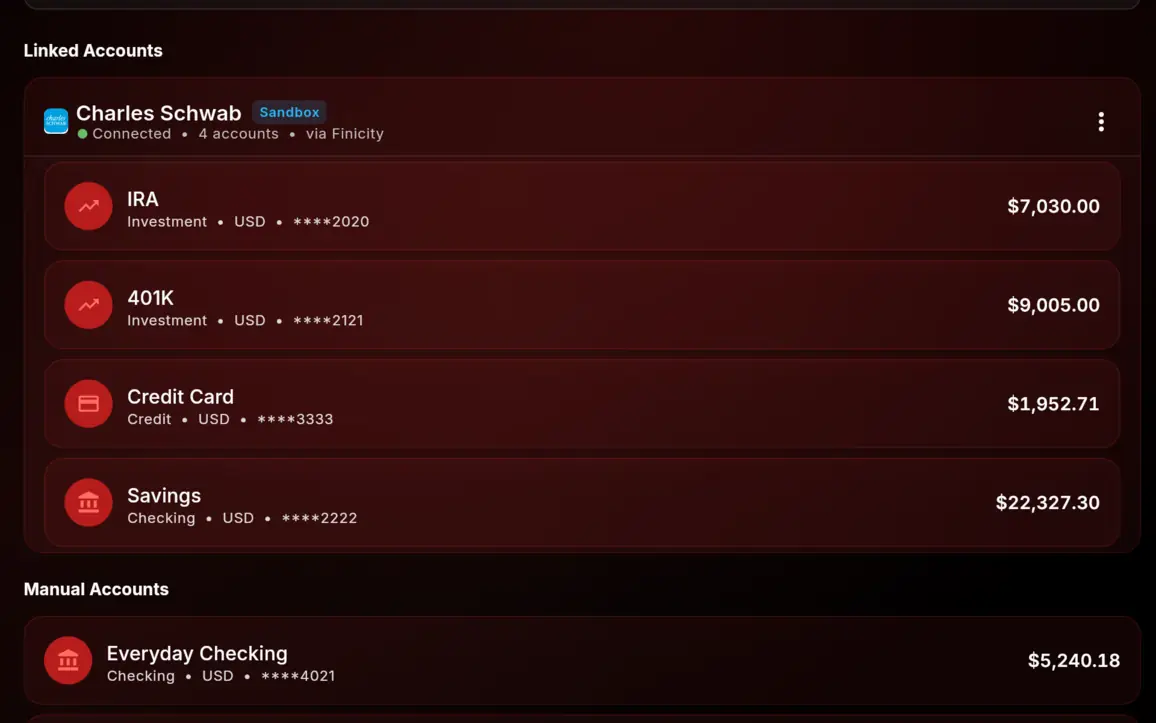
Receipt Scanning
Photograph a receipt and we read it back to you: the merchant, the date, the total, the currency, and the individual line items. The transaction form arrives already filled in, so what's left is a glance and a tap instead of a typing session. Long receipts that don't fit in one shot are photographed page by page and arrive as a single receipt.
Or skip the camera entirely. Forward the order confirmation to save@vault.403fin.io and it turns up in your receipts inbox, ready to file against a transaction whenever you get to it. Forwarding works from the email address on your account, plus any other address you add and confirm. Mail from an address you haven't added is dropped rather than stored.
The AI reads only if you say so, and you confirm everything. AI reading is off until you switch it on in Settings; until then, receipts are simply stored and attached for you to fill in the details yourself. When it's on, every extraction is checked against its own arithmetic, so when the line items don't add up to the printed total we tell you instead of quietly saving a number that's wrong. Nothing reaches your ledger until you've looked at it.
Available from Starter up: 75 receipts per renewal month on Starter, 200 on Pro, 400 on Premium. The count is per receipt, not per page, and it resets on your renewal date rather than the first of the month. Receipt images are encrypted with your account's own keys before they're stored, exactly like the rest of your financial data.
Learn More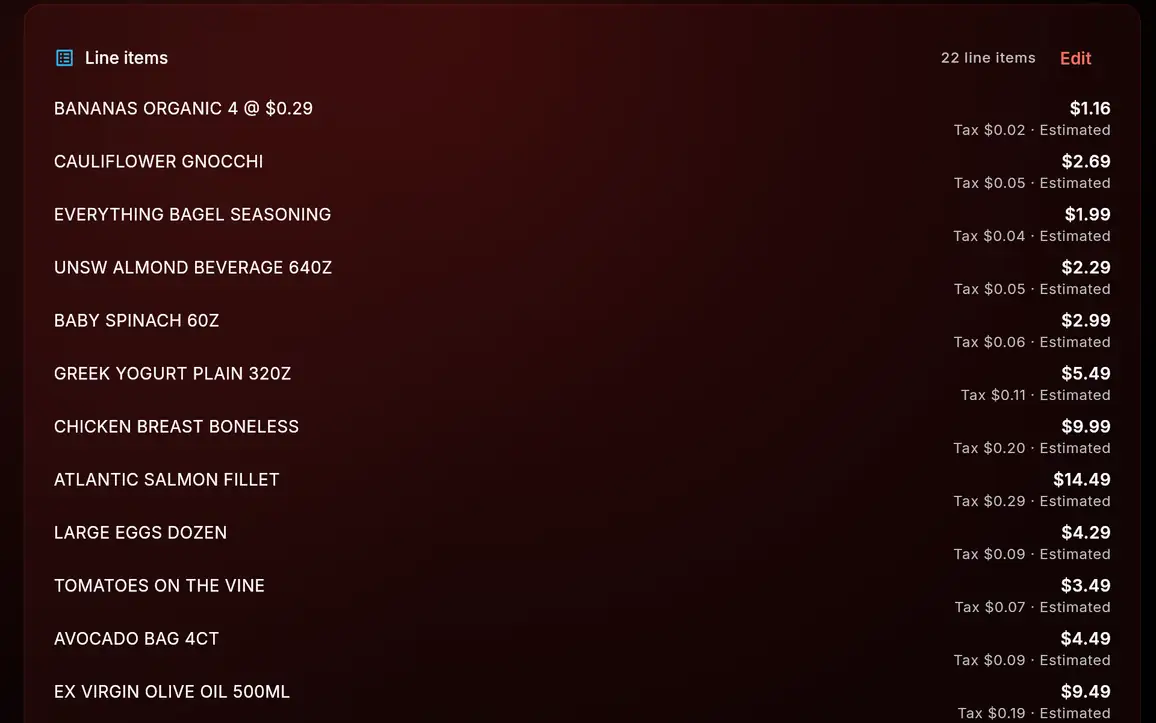
Method
A budget you'll actually keep
8 Budget Methods
50/30/20. Pay yourself first. Zero-based. Envelope. Kakeibo. FIRE. Values-based. Custom. Eight proven methods, all built in. Because there's no single "right way" to budget, only the way that sticks for you.
Start with two on Free. Unlock five on Starter. Get all eight on Pro and Premium. Switch methods month to month until one fits.
Learn More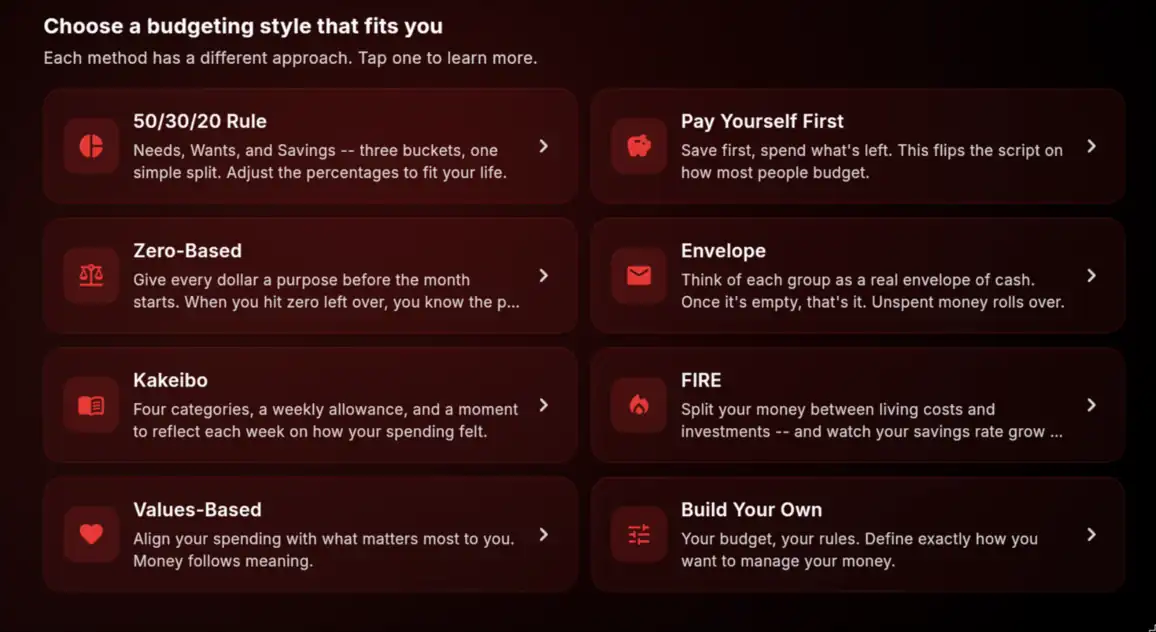
Reflection Journal
Money is a habit. Habits live or die based on whether you actually pay attention to them. The reflection journal gives you a structured weekly and monthly check-in: answer a few prompts about what you spent, what surprised you, what you'd change next time. The prompts are customizable; the cadence is yours.
Pairs with any budget method, including Custom. The journal sits next to your numbers, not on top of them. It stays quiet, optional, and there when you want it. Available on Pro and Premium.
Learn More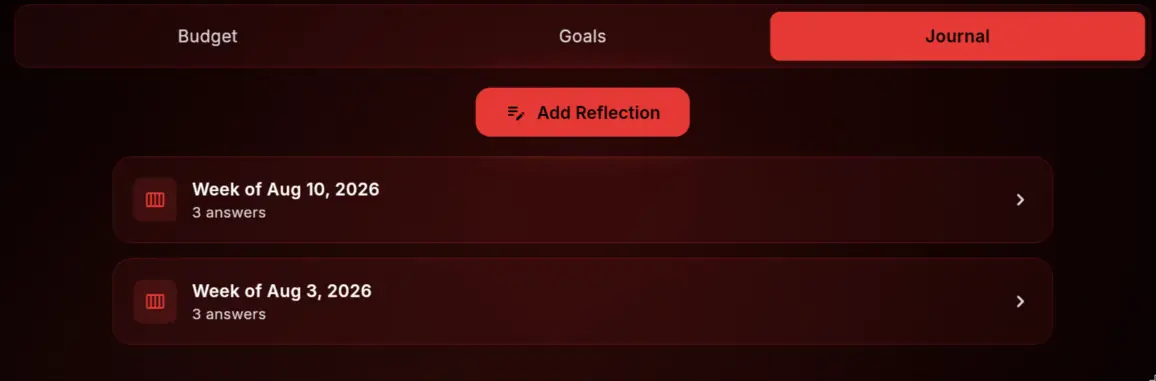
Milestone Tracking
Hit a savings target, pay off a debt, build a three-month emergency fund, and Forbidden Finance notices and quietly acknowledges it. No streaks, no leaderboards, no fake urgency. Just a record of the moments that actually mattered, organized by category so you can see your trajectory at a glance.
The acknowledgments are subtle on purpose: there if you want to look back, invisible if you don't.
Learn More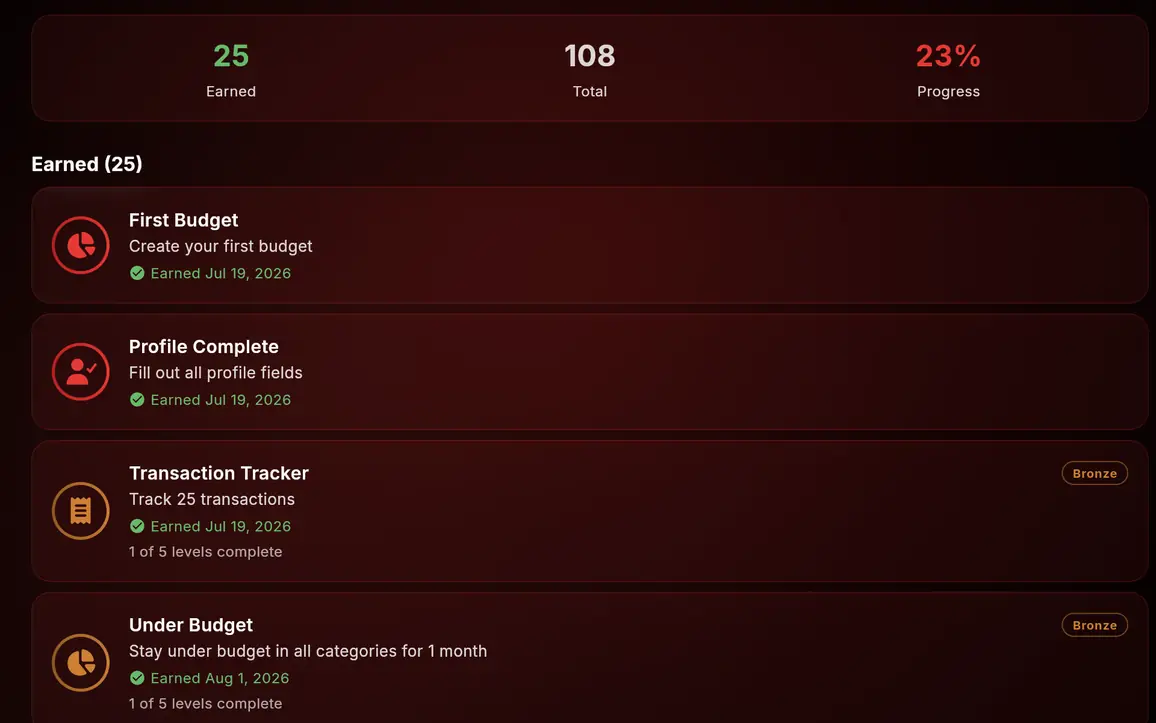
Wealth
The long view, in numbers
Investment Tracking
Stocks, ETFs, crypto, real estate, retirement accounts: track every asset class in one dashboard. See performance over time, cost basis, unrealized gains, and how each holding contributes to your net worth. Charts are bounded to the period you've actually owned each holding, so you're looking at your return, not the market's history.
Retirement accounts get tagged with the right subtype automatically, whether that's a 401(k), 403(b), 457(b), Traditional IRA, Roth IRA, SEP IRA, SIMPLE IRA, or HSA, so they roll up correctly into the long-term side of your net worth instead of mixing in with your everyday cash.
Connect your brokerage and your holdings arrive with their prices attached: whatever your brokerage last reported, stamped with an "as of" timestamp and refreshed as your brokerage sends updates. Crypto prices refresh every 6 hours during our beta (we'll tighten this as we scale). Real estate and alternative assets are manual; update them when you have a new appraisal. Stocks you add by hand, without a brokerage connection, keep the value you entered until you change it.
Premium adds per-lot cost-basis tracking: FIFO, LIFO, or Specific-ID per holding, with a downloadable tax-lot CSV when you need to hand something to your accountant.
Learn More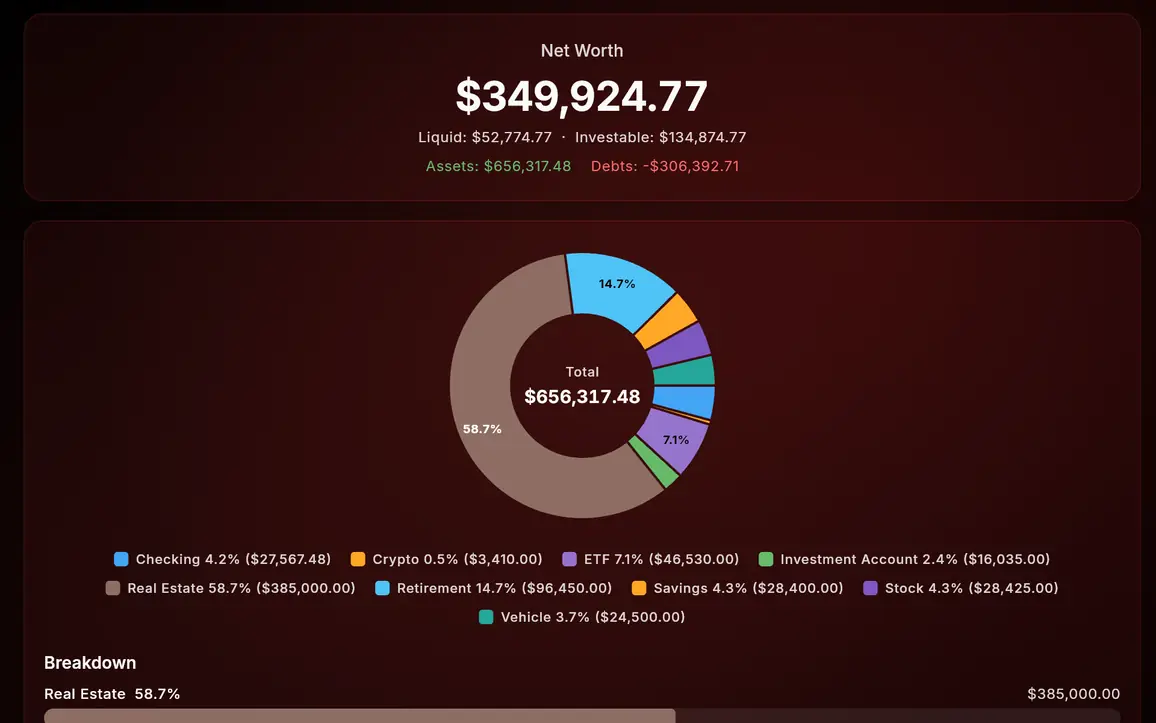
Net Worth Dashboard
Everything you own minus everything you owe. Updated automatically from your connected accounts, investments, and manually tracked assets. Watch it grow over time with historical snapshots.
Three views, one toggle. Total is the headline number: every asset minus every debt. Liquid is what you could spend in roughly a week without selling property: cash, checking, savings, accessible crypto. Investable sits between the two, Liquid plus retirement and real estate. Most apps give you one number; we give you all three because "what's my net worth" is actually three different questions.
Net worth tracking starts on Starter: computed automatically from your connected accounts and assets, with manual entry when you'd rather not link a bank. Charts use a sign-aware color scheme, green for gains and red for losses, so you can read the trend at a glance.
Learn More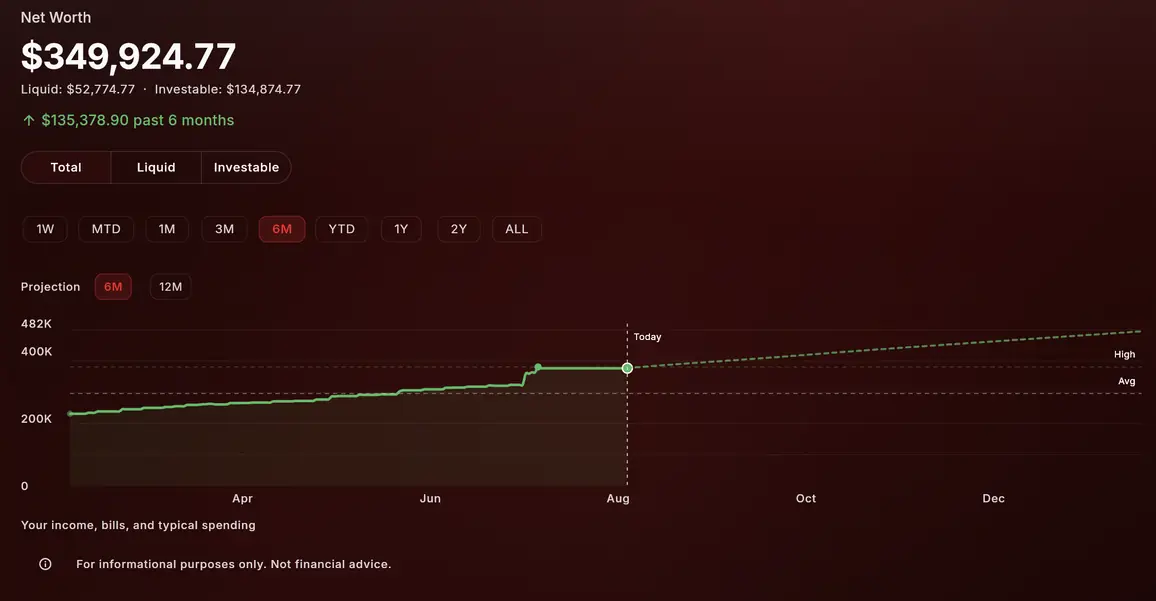
Multi-Currency Support
Track accounts in as many currencies as your plan allows, with up-to-date exchange rates. Set your home currency and watch everything convert automatically. Perfect for freelancers with international clients, travelers, or anyone whose money lives in more than one country.
Your home currency is always included, on every plan. Free adds one more, Starter three, Pro ten, and Premium as many as you need. And spending abroad never counts against the limit: record a transaction in any supported currency on any plan. The limit is about the accounts you hold, not where you spend. Exchange rates update throughout the day.
Learn More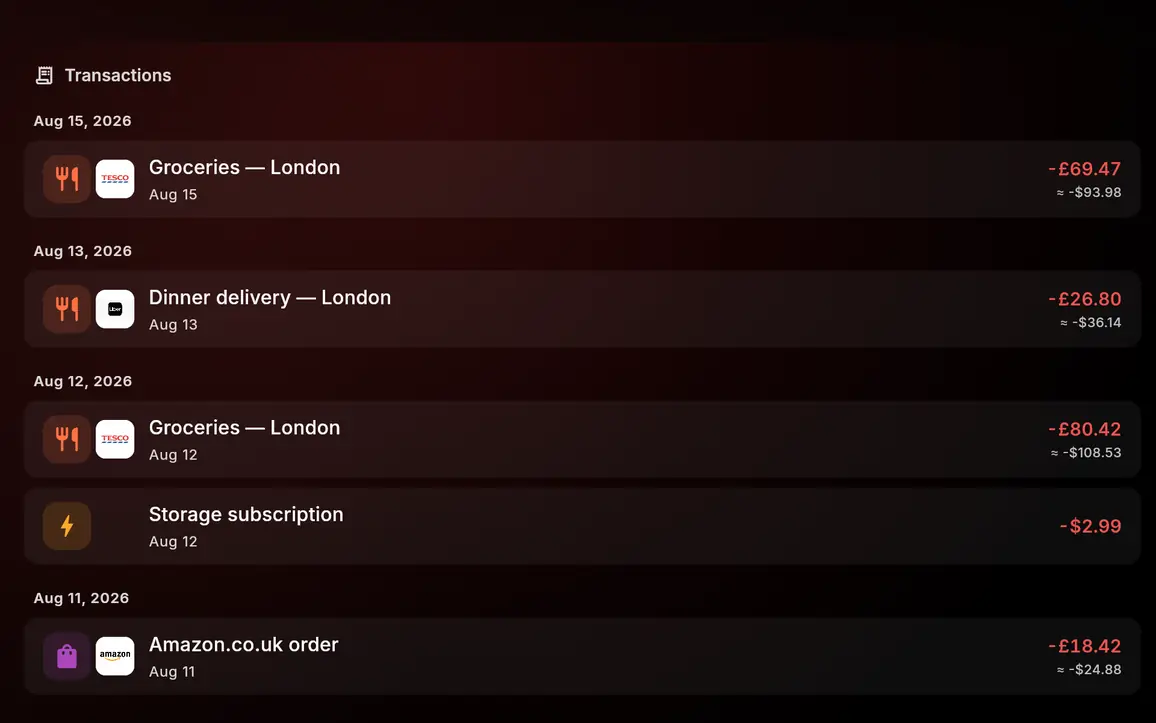
FIRE Planning Tools Coming Soon
Financial Independence, Retire Early. Calculate your FIRE number, track your savings rate, and model different scenarios. Coast FIRE, lean FIRE, barista FIRE: we've got calculators for all of them.
See exactly how many years until you can walk away. Adjust your spending, savings rate, or expected returns and watch the timeline shift as you type. To be clear about what ships today: the FIRE budget method is one of the eight available now on Pro and Premium. The projection calculator described here is the part still in the works.
Learn More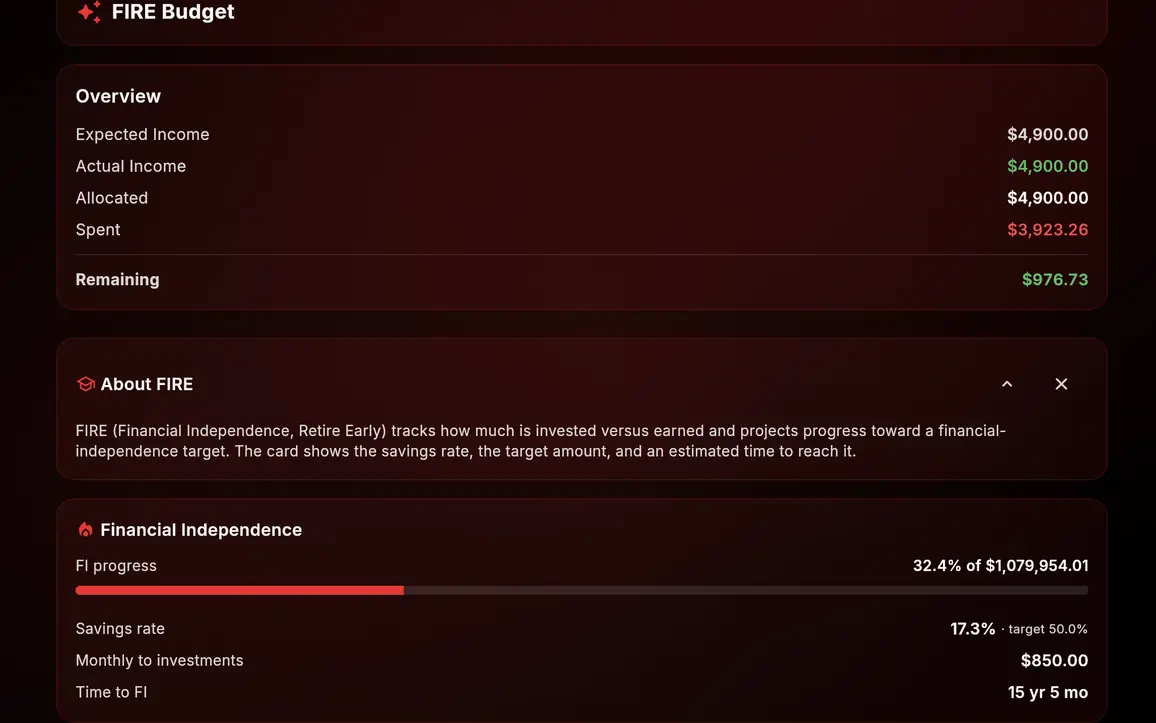
Yours
Your data, your rules
Privacy-First Architecture
We built Forbidden Finance because we were tired of apps that monetize your financial data. We charge subscriptions, and that is the entire business model. There are no advertisers and no data buyers behind the product.
Your financial data is encrypted with keys unique to your account. Amounts, account details, and personal information are sealed with AES-256-GCM under per-account keys that live in a separate key-management system, so even a stolen copy of our database would not reveal your financial data. Row-level security additionally isolates every account at the database layer, connections are encrypted in transit via TLS, and passkey sign-in is available alongside strong passwords.
Security & Privacy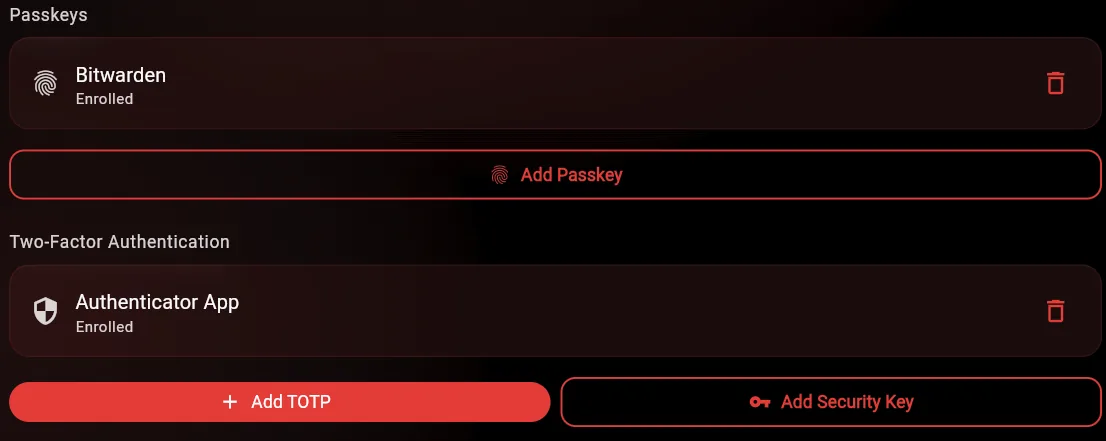
Partner Sharing
Share selected accounts and budgets with your partner so you're both looking at the same numbers. Each person gets their own login with their own private accounts too.
Pro includes one partner slot. Premium expands to five household members. If you have unused bank-connection slots on Pro or Premium, you can lend them to other Forbidden Finance users so they can connect their own banks. They keep their own tier and their own data; you keep yours. Either side can share specific accounts back, always with explicit consent.
Learn More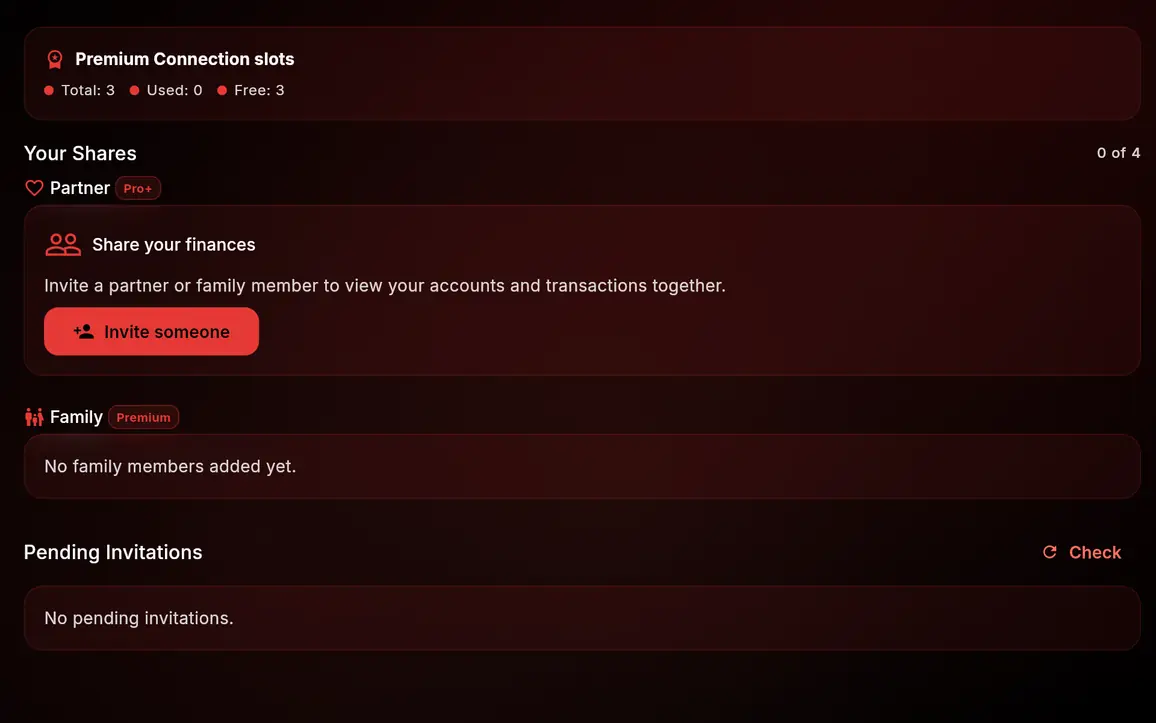
Customizable Dashboard
Pick what you actually want to see when you open the app. Account balances, budget progress, upcoming bills, net worth chart, goals, recent transactions, cash flow forecast, spending breakdown. Drag the widgets that matter into the layout that makes sense for you. Hide the rest.
More than twenty widget types and counting, arranged however suits you.
Learn More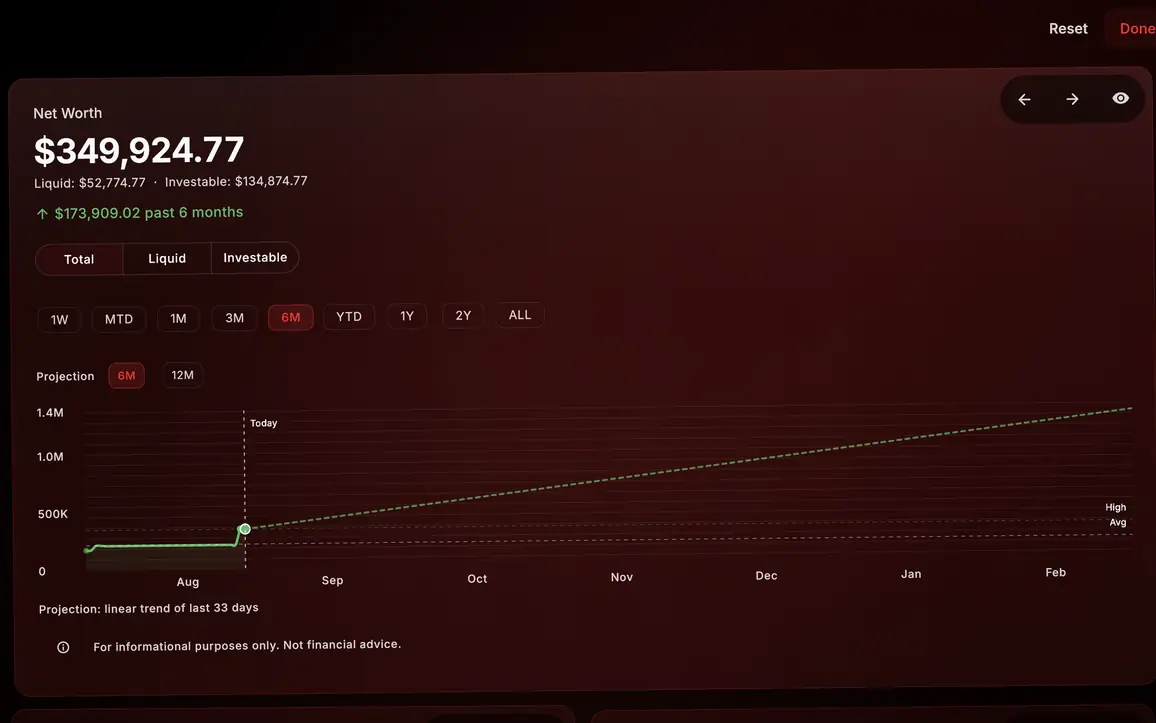
How we compare
We keep comparisons on their own pages, where every claim about another app links to a dated source.
Compare us to specific appsReady to Switch?
Start free, no credit card. Paid plans carry a 30-day money-back guarantee.